Check Your E-Challan on Mobile – Full Online Verification Guide 2025
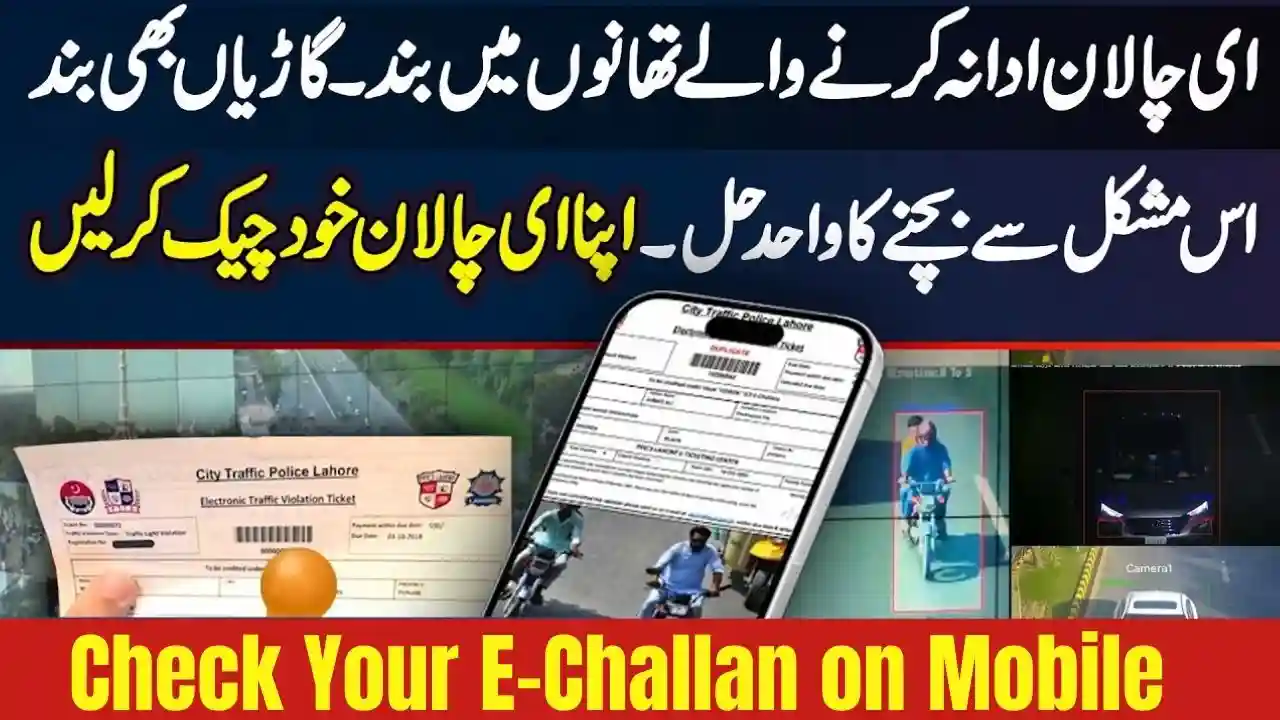
With the rising use of digital traffic management systems across Pakistan, Check Your E-Challan on Mobile has become easier than ever. The E-Challan system 2025 allows citizens to verify, download, and pay fines directly from their smartphones—without visiting any traffic office. This guide explains the complete process of checking your E-Challan on mobile, covering all major cities including Karachi, Lahore, Islamabad, Faisalabad, Multan, Rawalpindi, Peshawar, and Quetta.
What is an E-Challan? – Complete Overview 2025
An E-Challan is a digital traffic fine issued automatically through a monitoring system. Traffic police use CCTV, Automatic Number Plate Recognition (ANPR), and enforcement devices to record violations. These violations are directly uploaded into the database, where vehicle owners can view and pay their fines online.
Key Features of E-Challan 2025
- Digital traffic fine system
- No need to visit police stations
- Can be checked via mobile
- Secure online payment options
- Photo proof of violation available
- SMS and portal alerts for fines

How to Check Your e Challan Mobile Number 2025
Here is the easiest method to check your challan using your mobile phone:
1. Visit the Official E-Challan Portal
Depending on your city or province, open the respective website
2. Enter Your Vehicle Details
On the portal homepage:
- Enter Vehicle Registration Number
- Enter CNIC Number (if required)
- Complete Captcha
- Tap Search Challan
The system will instantly show:
- Pending challan
- Paid challan
- Violation details
- Photo/video evidence
- Payment status
3. Download or View Challan on Mobile
You can also:
- View violation pictures
- Download PDF challan
- Screenshot fine details
- Save challan for payment
4. Pay Your E-Challan Online
In 2025, multiple payment methods are supported:

Online Payment Methods
- JazzCash
- EasyPaisa
- NayaPay
- Sadapay
- Bank Apps (HBL, UBL, Meezan, MCB)
- ATM Machines
- 1-Link Integrated Payment System
How to Pay via JazzCash
- Open JazzCash App
- Go to Traffic Challan Payments
- Enter Challan Number
- Press Pay
- Receive confirmation SMS
How to Pay via EasyPaisa
- Open EasyPaisa
- Click Traffic Challans
- Enter CNIC/Vehicle Number
- Confirm
- Pay and save receipt

Check E-Challan on Mobile Through SMS (If Available)
In some cities:
📩 Send Vehicle Number to the official traffic SMS number
Punjab & Islamabad: 8228 (service varies by district)
Sindh: Send your CNIC and vehicle no. to official WhatsApp helpline

Why E-Challan System Is Important in 2025
The digital traffic enforcement system aims to:
- Reduce road accidents
- Improve traffic discipline
- Ensure transparent violation monitoring
- Promote cashless payments
- Make traffic services fully online
The system has become more accurate and faster with AI-based monitoring, high-resolution cameras, and automated fine processing.
Common Issues When Checking E-Challan on Mobile
Here are common problems and their solutions:
1. Vehicle Number Not Found
- Check spacing and dashes
- Make sure plate format matches
- Portal may be temporarily down
2. Challan Not Showing Photo
- Camera evidence may still be uploading
- Some violations don’t require photos
3. Payment Not Updating
- Wait 2–4 hours
- Bank systems sync with 1-Link
- Save payment receipt as proof
Tips to Avoid E-Challan in 2025
- Always wear a helmet
- Follow speed limits
- Do not block zebra crossings
- Avoid using a mobile phone while driving
- Keep documents updated
- Follow traffic lights strictly
FAQs – Check Your E-Challan on Mobile 2025
1. How can I check my e-challan by vehicle number?
Go to the official E-Challan portal of your province, enter your vehicle number, and click search.
2. Can I check my challan without a CNIC?
Yes, some provinces only require the vehicle number.
3. How do I pay an E-Challan online?
Payments can be made through JazzCash, EasyPaisa, bank apps, ATMs, or 1-Link.
4. Can I view photos of my violation?
Yes, the system shows camera evidence for applicable violations.
5. What to do if the challan is wrong?
Visit the nearest traffic police office with your documents and request verification.