Pakistan Introduces New Fingerprint Verification System for Passports
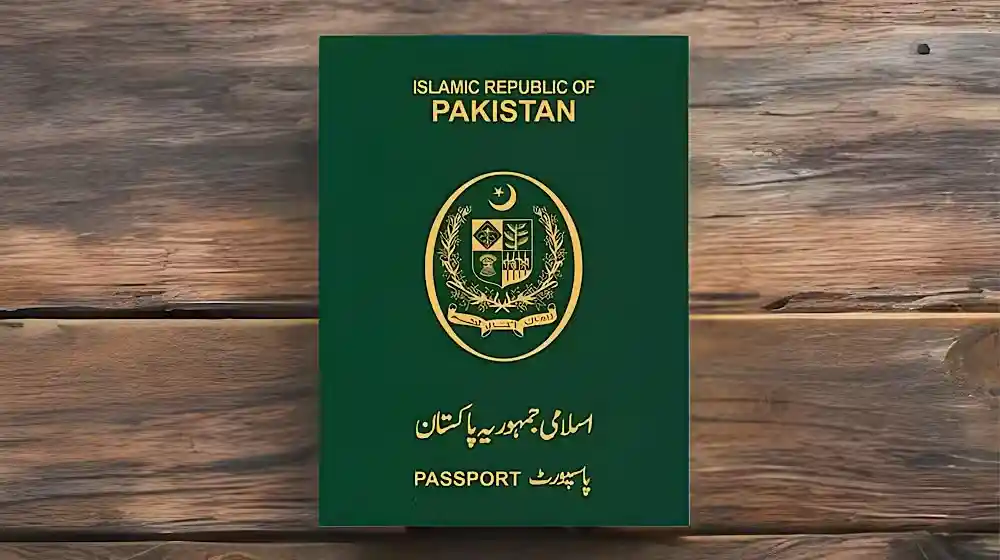
The Government of Pakistan, through the Directorate General of Immigration and Passports, has launched a new fingerprint verification system to simplify the passport application process. This innovative system, developed in collaboration with NADRA (National Database and Registration Authority), allows applicants to verify their fingerprints remotely using the Pak-ID mobile application, making passport applications faster, more secure, and convenient for citizens nationwide.
Key Features of the New Fingerprint Verification System
The new system offers multiple benefits for passport applicants:
- Remote Verification: Applicants can confirm their fingerprints from anywhere at any time using the Pak-ID app.
- Alternative Facial Recognition: If fingerprint scanning fails, the system provides a facial recognition option as a backup.
- Integrated Biometric Authentication: The app uses NADRA’s secure database to match fingerprints accurately, ensuring authenticity and reducing fraud.
- Simplified Online Process: The fingerprint verification step is seamlessly integrated into the online passport application portal, eliminating the need for in-person visits for biometric submission.

How to Use the Fingerprint Verification System
Step 1: Access the Online Passport Portal
Applicants must first visit the official online passport portal of the Directorate General of Immigration & Passports to start their application process.
Step 2: Open the Pak-ID Mobile App
After reaching the fingerprint stage, users must log in to the Pak-ID mobile app. The app is available on both Android and iOS platforms, ensuring accessibility for all applicants.
Step 3: Navigate to Biometric Verification
In the app, applicants should:
- Select “Online Passport” in the biometric verification section.
- Enter their passport tracking ID and CNIC number.
- Follow guided steps to capture fingerprint data.
If the fingerprint scan fails due to technical or environmental issues, users can switch to facial recognition for verification.
Step 4: Complete Verification and Return to Portal
Once the biometric verification is successfully completed, the app issues a confirmation message. Applicants are then redirected to the online passport portal to continue and submit their application for final processing.

Advantages for Pakistani Citizens
This new system provides several benefits for citizens applying for passports:
- Time-Saving: Reduces the need for physical visits to passport offices.
- Security: Ensures that biometric data is securely verified through NADRA’s system, preventing identity fraud.
- Flexibility: Allows verification from home or any remote location, making it accessible for applicants living in remote areas.
- Backup Option: Facial recognition ensures that users who face difficulties with fingerprints can still complete their application.

Why the Government Introduced This System
The government introduced this fingerprint verification system to:
- Simplify the Passport Process: Previously, applicants had to visit passport offices in person for biometric verification.
- Enhance Security: By integrating NADRA’s biometric system, the government ensures authenticity and reduces passport fraud.
- Promote Digital Services: The new system encourages citizens to use online services, in line with Pakistan’s digital transformation initiatives.
- Improve Efficiency: Automating biometric verification helps passport offices process applications faster.

How This System Impacts the Passport Application Process
The new fingerprint verification system is a game-changer for both applicants and passport offices:
- Faster Processing: Applicants no longer have to wait in long queues at passport offices.
- Reduced Errors: Automated verification minimizes mistakes in biometric data recording.
- Better Tracking: Applicants can track their application status directly through the Pak-ID app.
- Enhanced User Experience: The process is now more convenient and user-friendly, aligning with global best practices in passport services.
Read Also: Punjab Govt Confirms Winter Vacations for Schools and Colleges Across the Province
Security and Privacy Considerations
The government assures applicants that:
- Biometric Data is Secure: All fingerprint and facial recognition data is encrypted and stored securely within NADRA’s database.
- Privacy is Protected: The data collected is strictly for passport verification purposes and will not be shared with third parties.
- Compliance with International Standards: The system follows global biometric security standards, ensuring that Pakistani passports remain secure and internationally recognized.
Step-by-Step Guide for Applicants
Step 1: Start Your Online Application
Visit the DGIP official website and fill out the online passport application form.
Step 2: Reach the Biometric Stage
Complete all preliminary steps and reach the fingerprint verification section.
Step 3: Open Pak-ID App
Login to the Pak-ID mobile app, available for Android and iOS.
Step 4: Enter Required Details
Enter your passport tracking ID and CNIC number.
Step 5: Fingerprint Verification
Follow the app instructions to scan your fingerprints. If scanning fails, switch to facial recognition.
Step 6: Confirmation
After verification, you’ll receive a confirmation message and be redirected back to the online passport portal.
Step 7: Submit Application
Complete the remaining steps in the online portal and submit your application for final processing.
Frequently Asked Questions (FAQs)
1. Can I verify my passport fingerprints from home?
Yes, you can verify fingerprints anytime and from anywhere using the Pak-ID mobile app.
2. What if fingerprint scanning fails?
The app provides a facial recognition alternative to complete verification.
3. Do I need to visit a passport office in person?
For the biometric stage, physical visits are no longer mandatory unless additional verification is required.
4. Is my biometric data safe?
Yes, all data is securely encrypted and stored in NADRA’s database.
5. Which devices are compatible with the Pak-ID app?
The app is compatible with both Android and iOS devices.