E-Challan Online Check – See All Fines Instantly
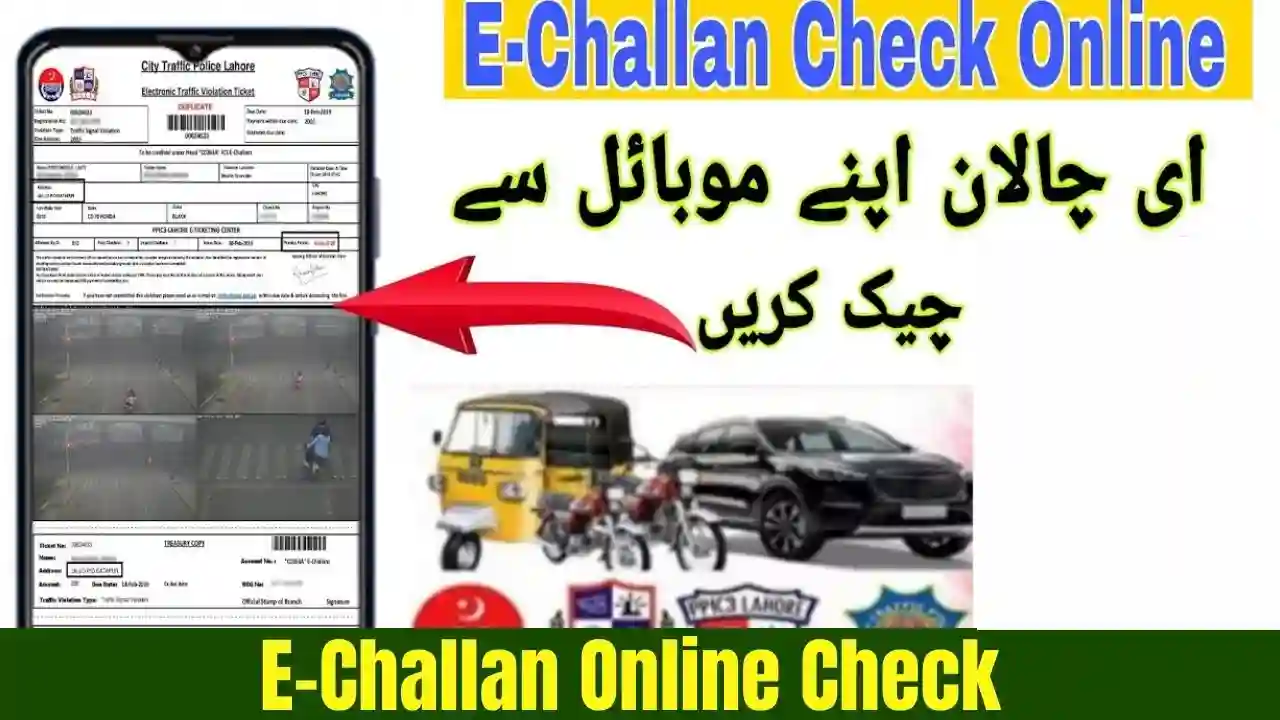
The E-Challan Online Check system has transformed how drivers in Pakistan verify, view, and pay traffic fines. Whether you drive in Punjab, Sindh, KPK, Islamabad, or Gilgit-Baltistan, digital challan systems now allow you to instantly check all fines online using your vehicle number, CNIC, or license plate.
What Is an E-Challan? – Digital Traffic Fine System Explained
An e-challan is an automated digital traffic ticket issued through Safe City cameras, ANPR technology, or traffic police officers. Instead of manual slips, violations are recorded electronically and uploaded to the city’s e-challan portal.
Common reasons for E-Challan issuance include:
- Overspeeding
- Red-signal violation
- Wrong lane movement
- Fancy or illegal number plates
- Driving without a helmet
- Wrong parking
- Seatbelt violation
- One-way or U-turn violations
The modern digital system ensures transparency, fast verification, and secure payment options.

E-Challan Online Check – How to See All Fines Instantly
Below are the official methods to check e-challan across Pakistan.
1. E-Challan Online Check Punjab – Verify by License Plate
Punjab Safe Cities Authority (PSCA) allows users to check challans easily.
Steps:
- Visit the PSCA E-Challan Portal
- Enter your vehicle number
- Enter your CNIC
- Click Check Challan
- All pending and paid challans will appear instantly
You can download or print each challan for reference.

2. E-Challan Online Check Sindh – Karachi Traffic Fines
Karachi Traffic Police offer online verification:
Steps:
- Open the Sindh Police E-Challan portal
- Enter your car/bike registration number
- View all violations captured through Safe City cameras
- Download or pay challans digitally

3. E-Challan Check Islamabad – Safe City ICT Portal
Islamabad’s ANPR camera network captures traffic violations and uploads them instantly.
Steps:
- Visit the ICT e-chalan check portal
- Enter vehicle number
- Verify fines instantly

4. KPK E-Challan System – Online Check for Peshawar & Other Cities
KPK’s digital enforcement allows users to check challans online within seconds.
Steps:
- Enter registration number on the KP Police portal
- View all challans, including ANPR-recorded violations
- Pay online or download challan copy
Latest Features of the E-Challan Online Check System (2026 Update)
The upgraded digital traffic systems now include:
✔ Real-time challan upload
Violations appear online within seconds of detection.
✔ HD Cameras & ANPR
Accurate number plate detection reduces errors.
✔ Online Payment Integration
Pay via:
- JazzCash
- EasyPaisa
- Banking apps
- ATM
- Debit card
✔ SMS Alerts & Notifications
Drivers receive instant fine alerts on registered numbers.
✔ Digital Reprint Option
Lost challan? Reprint anytime online.
✔ Challan History Records
View your complete violation history over the years.
How to Pay E-Challan Online – Easy Payment Method
Steps:
- Open the e-challan slip
- Note the PSID (Payment Slip ID)
- Open your banking app
- Go to Bill Payments → Traffic Challan
- Enter the PSID
- Confirm payment
Payment reflects instantly on the portal.
Why You Should Check E-Challan Online Regularly
Checking your challans helps avoid:
✔ Late fees & penalties
✔ Vehicle blocking at checkpoints
✔ Issues during transfer/sale of your car
✔ CNIC-based enforcement problems
Many cities now require clear challan status before token tax renewal or ownership transfer.
Troubleshooting – E-Challan Not Showing or Wrong Info?
1. Challan not appearing online
- System delay
- Camera sync issues
- Portal maintenance
2. Wrong vehicle challan appearing?
This happens due to:
- Incorrect CNIC link
- Open-letter sale
- Number plate misuse
- Safe City data error
Solution: Submit correction request at Excise + Safe City.
3. Can’t download challan PDF?
- Use Chrome browser
- Clear cache
- Try mobile data instead of Wi-Fi
Conclusion
The E-Challan Online Check system in Pakistan has made traffic management easier, faster, and transparent. With just your vehicle number or CNIC, you can instantly see all your fines, download challan slips, and make secure payments without visiting traffic police offices. As digital enforcement expands, staying updated on your challan status helps avoid penalties and ensures safe, responsible driving.
Important FAQs E-Challan Online Check
1. How can I check all my e-challans online instantly?
Simply visit your city’s e-challan portal, enter your vehicle number, and view all fines instantly.
2. Can I pay e-challan through JazzCash or EasyPaisa?
Yes, all major banking apps and mobile wallets support challan payments via PSID.
3. Why am I receiving challan for a vehicle I sold?
Because the buyer did not transfer ownership. Your name remains in Excise/Safe City records.
4. What happens if I don’t pay my e-challan?
Your vehicle may face blockage, late fines, and issues during token tax renewal or sale.
5. How long does it take for a new violation to appear online?
Most challans appear within a few minutes, depending on Safe City system updates.