How to Check PTA Mobile Registration Online Through Mobile
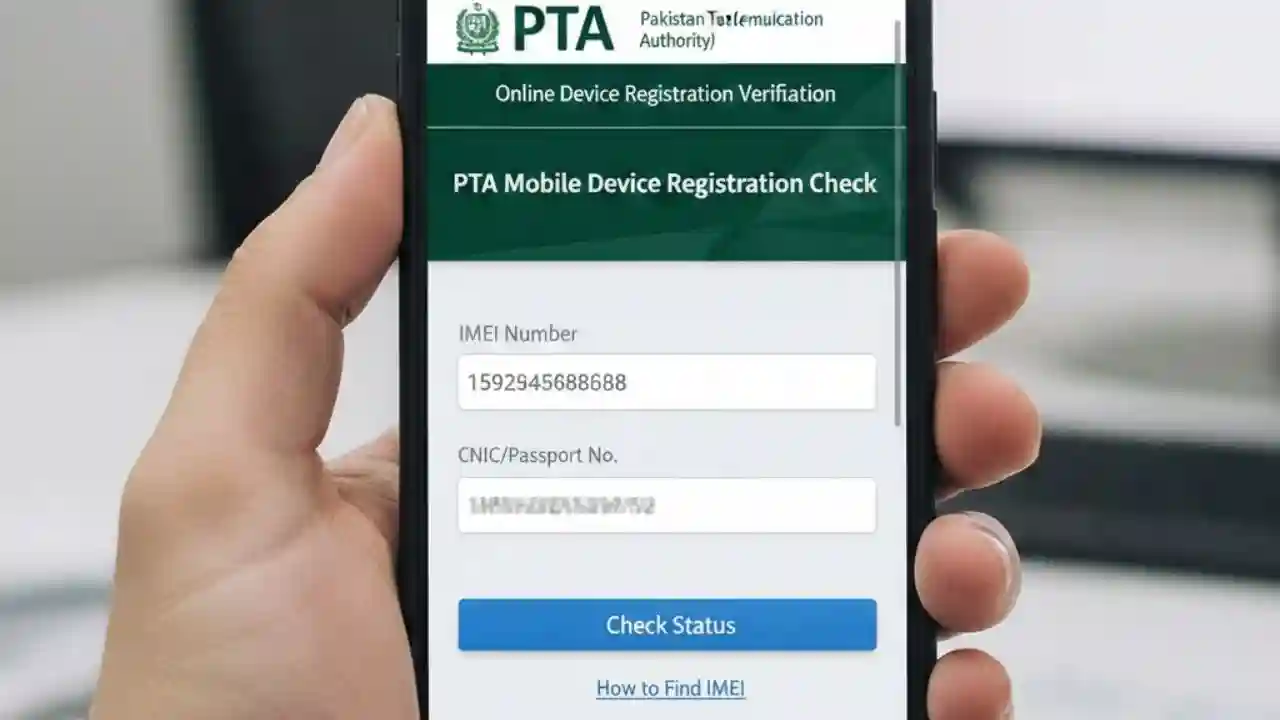
How to Check PTA Mobile Registration Online Through Mobile, ensuring that your device is officially registered with the Pakistan Telecommunication Authority (PTA) has become more important than ever. PTA mobile registration is mandatory for all mobile devices in Pakistan to avoid network restrictions. In this guide, we will explain how to check PTA mobile registration online through mobile, step by step, and answer frequently asked questions about PTA verification.
What is PTA Mobile Registration?
PTA Mobile Registration is a system introduced by the Pakistan Telecommunication Authority to control the import and use of mobile devices in Pakistan. This system ensures that only legally imported mobile phones are used on local networks. Unregistered mobile devices may face restrictions, such as being blocked from accessing mobile networks after a certain date.
Why PTA Mobile Registration is Important
- Prevents the use of smuggled or illegal phones.
- Ensures your mobile device works on Pakistani networks without issues.
- Avoids network blocking due to unregistered IMEI numbers.
- Helps maintain telecommunication security and integrity.

How to Check PTA Mobile Registration Online Through Mobile
Checking your PTA mobile registration status online is quick and easy. You can do it directly from your mobile phone by following these simple steps:
Method 1: Using the PTA Device Verification Website
- Open your mobile browser and visit the official PTA Device Verification portal: https://www.pta.gov.pk/en/device-verification
- Find your IMEI number. You can get your IMEI by dialing
*#06#on your mobile device. - Enter the 15-digit IMEI number in the provided box on the PTA website.
- Complete the captcha verification to prove you are not a robot.
- Click on “Verify” to check the registration status.
- The system will display your mobile registration status, including whether your device is PTA-approved.
✅ Tip: Always check your device’s IMEI before buying a new phone in Pakistan to ensure it is PTA registered.
Method 2: Using PTA Mobile App
PTA has also introduced a mobile app for easy verification of mobile devices.
- Download the “Dirbs PTA Device Verification” app from Google Play Store or Apple App Store.
- Open the app and enter your IMEI number.
- Tap Verify to see your device’s registration status.
- The app will immediately show if your phone is compliant or blocked.
Method 3: Using SMS Service
For users without internet access, PTA offers a simple SMS service.
- Open the SMS app on your phone.
- Type your IMEI number.
- Send it to
8484(standard PTA verification service). - You will receive a reply showing your mobile registration status.
⚠️ Note: The SMS service may incur a small fee depending on your mobile carrier.

How to Check if Your Mobile is PTA Approved for Imported Phones
Many people buy phones from abroad that need PTA registration before they can use Pakistani SIM cards. Follow these steps:
- Obtain your phone’s IMEI number (dial
*#06#). - Visit the PTA Device Verification Portal.
- Enter your IMEI to confirm if your phone is allowed to operate in Pakistan.
- If your phone is not registered, you need to pay the PTA taxes to activate it.

Steps to Register an Unregistered Mobile Device with PTA
If your mobile is unregistered, you can register it online through PTA’s Device Identification Registration and Blocking System (DIRBS):
- Visit the PTA DIRBS portal: https://dirbs.pta.gov.pk/
- Select “Device Registration”.
- Enter your IMEI number and other required details.
- Upload a copy of your purchase invoice.
- Pay the applicable tax and duties online.
- After payment, PTA will update the registration status, allowing your device to work on local networks.
⏳ Processing Time: Registration confirmation usually takes 24–48 hours.

Common Issues While Checking PTA Registration
- IMEI Not Recognized: Sometimes, newly imported phones may not immediately appear in the PTA database. Wait 24 hours and check again.
- Network Not Working: If your phone is blocked, ensure your device is registered through DIRBS and the registration is confirmed.
- Wrong IMEI: Always verify your IMEI number before checking PTA registration. Using the wrong IMEI will give incorrect results.
Benefits of Using PTA’s Online Verification Service
- Instant Results: You can immediately know your mobile’s registration status.
- Convenient: Check PTA registration from anywhere using mobile or PC.
- Secure: PTA’s portal ensures your IMEI information is kept confidential.
- Avoid Legal Issues: Prevent penalties or network blockage for unregistered devices.
FAQs About PTA Mobile Registration
Q1: How can I check PTA registration without internet?
A: You can use the SMS service by sending your IMEI to 8484.
Q2: Can I use a smuggled phone in Pakistan?
A: No, smuggled phones are illegal and will be blocked from local networks.
Q3: How long does PTA registration take?
A: Online registration through DIRBS typically takes 24–48 hours.
Q4: What is the fee for PTA mobile registration?
A: Fees depend on the model and origin of the phone. You can calculate exact fees on the DIRBS portal.
Q5: Can I check registration status on multiple devices?
A: Yes, simply enter the IMEI number of each device on the PTA verification portal or app.
Conclusion
Checking PTA mobile registration online through mobile is simple and crucial for every mobile phone user in Pakistan. Whether you’re buying a new device or using an imported phone, always verify its PTA compliance to avoid network blockage. You can use the official website, PTA mobile app, or SMS service to quickly check your device’s status. Following PTA guidelines ensures that your mobile device works smoothly, legally, and without interruption.