Download Latest Version of EMI FIA Immigration App – How to Install & Upload Documents
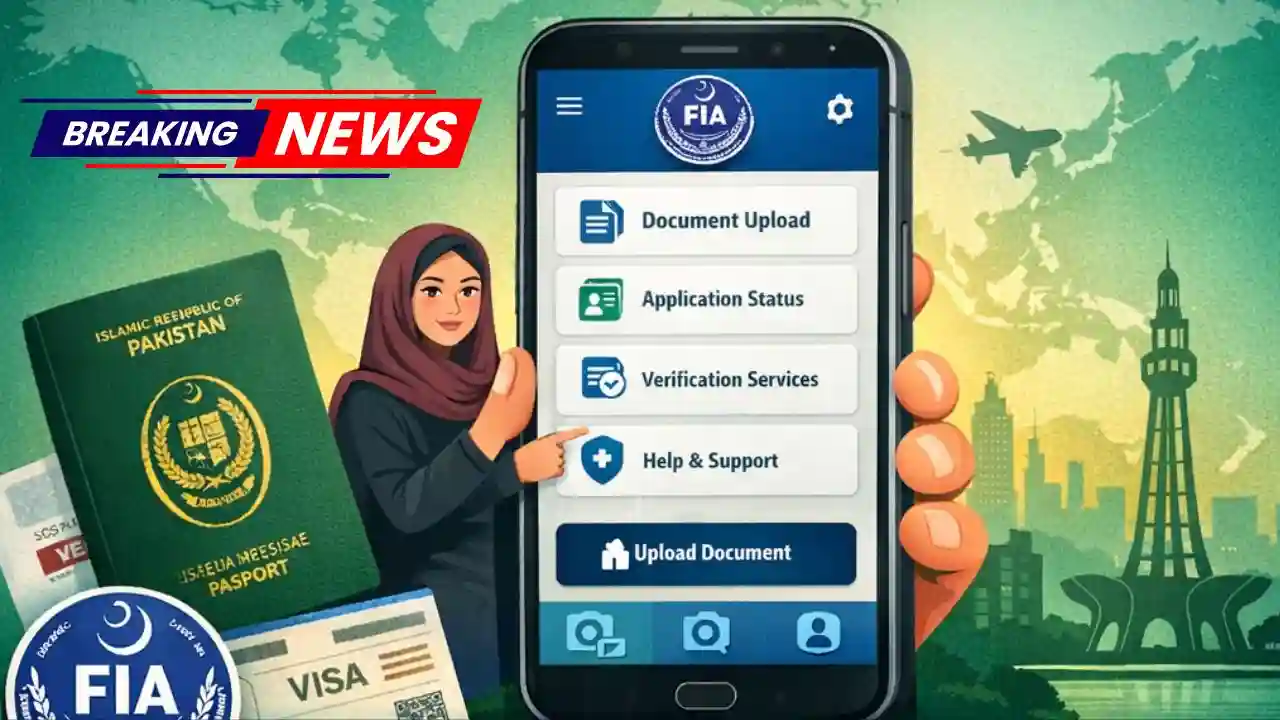
The Download Latest Version of EMI FIA Immigration App is a digital initiative designed to simplify immigration-related processes for travelers, overseas Pakistanis, and citizens dealing with visa, travel, and verification matters. Developed under the supervision of Pakistan’s Federal Investigation Agency (FIA), this app allows users to submit documents, complete required forms, and interact with immigration systems using their smartphone—saving time, reducing paperwork, and improving transparency.
In this detailed guide, you’ll learn how to download the latest version of the EMI FIA Immigration App, how to install it correctly, how to upload documents step by step, common issues and solutions, and FAQs. This article is written in clear English and is suitable for first-time as well as regular users.
What Is the EMI FIA Immigration App?
The EMI FIA Immigration App is an official mobile application created to digitize immigration-related workflows. Instead of standing in long queues or relying on manual submission, users can now:
- Register and verify personal details
- Upload immigration or travel documents
- Track application or verification status
- Reduce delays caused by missing paperwork
- Ensure safer, traceable, and more efficient processing
The app is especially useful for travelers, overseas Pakistanis, students, workers, and individuals required to submit documents for immigration clearance or verification.

Key Features of the EMI FIA Immigration App
Before downloading the app, it’s important to understand what makes it useful:
1. Secure User Registration
Users create an account using basic personal details. The app includes security layers to protect sensitive data.
2. Digital Document Upload
You can upload CNIC, passport copies, visas, tickets, and other required documents directly from your phone.
3. Real-Time Status Updates
Instead of repeatedly visiting offices, users can check progress and updates within the app.
4. Paperless & Time-Saving
The app reduces reliance on physical files and minimizes delays due to incomplete submissions.
5. Official & Government-Backed
Being an FIA-managed platform, it follows official protocols and data security standards.

System Requirements (Before Downloading)
To ensure smooth performance, your device should meet these minimum requirements:
- Android: Updated Android version (recommended latest OS)
- Storage: At least 200–300 MB free space
- Internet: Stable Wi-Fi or mobile data connection
- Camera Access: Required for document scanning and uploads
💡 Tip: Always update your phone’s operating system before installing government apps for best compatibility.

How to Download the Latest Version of the EMI FIA Immigration App
Follow these steps carefully to download the official and latest version:
Step 1: Open Google Play Store
On your Android phone, open the Google Play Store app.
Step 2: Search the App
In the search bar, type “EMI FIA Immigration App”.
Step 3: Verify Authenticity
Ensure the developer name matches official government or FIA-related credentials. Avoid third-party or duplicate apps.
Step 4: Tap “Install”
Click the Install button and wait for the download to complete.
Step 5: Update if Already Installed
If you already have the app, tap Update to get the latest features and security fixes.

How to Install the EMI FIA Immigration App Properly
Once downloaded, installation usually completes automatically. After installation:
- Tap Open
- Allow required permissions (camera, storage, internet)
- Read the instructions shown on the welcome screen
- Proceed to registration or login
⚠️ Denying permissions may prevent document uploads or scanning.
How to Register on the EMI FIA Immigration App
Step 1: Create an Account
- Enter your full name
- Provide CNIC or passport number
- Add a valid mobile number or email
Step 2: Verification
- You may receive a verification code (OTP)
- Enter the code to activate your account
Step 3: Set a Secure Password
Choose a strong password to protect your data.
How to Upload Documents on the EMI FIA Immigration App (Step-by-Step)
Uploading documents is one of the most important features. Follow these steps carefully:
Step 1: Login to Your Account
Use your registered credentials to log in.
Step 2: Select the Relevant Section
Navigate to Document Upload, Application, or Verification section depending on your purpose.
Step 3: Choose Document Type
Select the required document type, such as:
- Passport
- CNIC
- Visa
- Ticket or travel record
Step 4: Upload the Document
You can either:
- Take a clear photo using your phone camera
- Upload a saved image or PDF from your device
Step 5: Check Clarity
Ensure:
- Text is readable
- No blur or glare
- Full document is visible
Step 6: Submit
After uploading, tap Submit and wait for confirmation.
Tips for Successful Document Upload
- Use good lighting when taking photos
- Avoid shadows and reflections
- Upload original documents only
- Ensure file size is within limits
- Do not crop important information
Common Problems & Solutions
App Not Installing
- Clear Play Store cache
- Check storage space
- Update Android OS
Upload Failed
- Check internet connection
- Reduce image size
- Try again after restarting the app
Login Issues
- Reset password
- Double-check CNIC/passport number
- Ensure OTP is entered correctly
Why Keeping the App Updated Is Important
Using the latest version ensures:
- Improved security
- Bug fixes
- Better compatibility
- Faster processing
- New features added by FIA
Outdated versions may stop working or fail to submit documents properly.
Safety & Data Privacy
The EMI FIA Immigration App follows government-level security standards. However, users should also:
- Never share passwords
- Avoid using public Wi-Fi
- Log out after use
- Install updates regularly
Frequently Asked Questions (FAQs)
1. Is the EMI FIA Immigration App free to use?
Yes, the app is completely free and officially provided for public use.
2. Can I use the app outside Pakistan?
Yes, as long as you have a stable internet connection, the app can be accessed from abroad.
3. What document formats are supported?
Most commonly supported formats include JPG, PNG, and PDF.
4. What should I do if my document is rejected?
Review the reason (if provided), upload a clearer image, and resubmit.
5. Is my data safe on the app?
Yes, the app follows official data protection and security protocols.
6. Can I edit uploaded documents later?
In most cases, you can re-upload documents if corrections are required.
Final Thoughts
The EMI FIA Immigration App is a major step toward digital governance in Pakistan. By allowing secure registration, easy document uploads, and real-time tracking, it reduces stress, saves time, and improves transparency for users dealing with immigration-related matters.
If you are planning to travel, submit verification documents, or interact with immigration authorities, downloading the latest version of the EMI FIA Immigration App and using it correctly is highly recommended. Follow the steps in this guide to avoid common mistakes and ensure a smooth experience.