How to Pay Army Public School Fee via Easypaisa in 2026 – Step-by-Step Guide
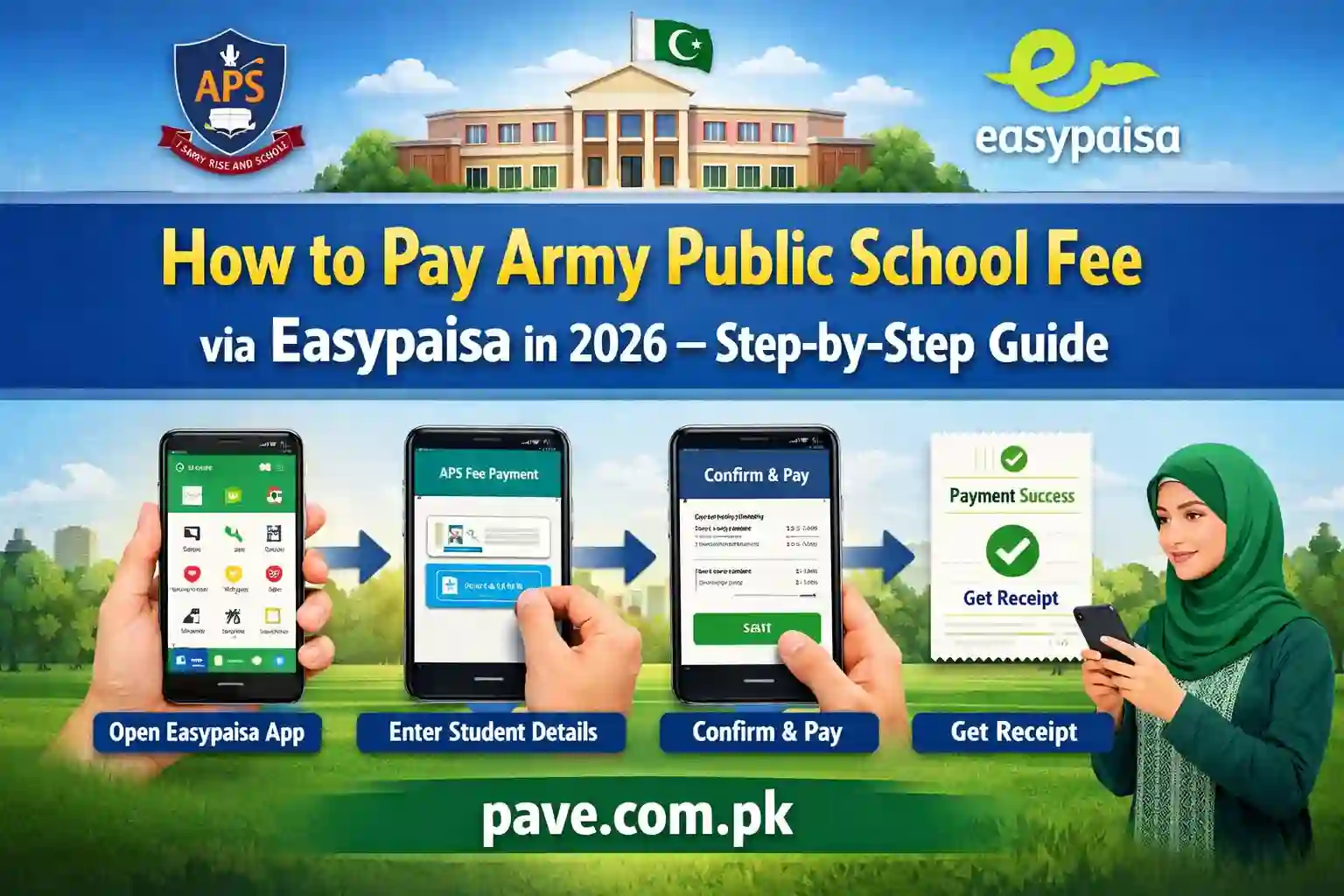
Many parents in Pakistan now prefer digital payment methods instead of standing in long queues at banks. In 2026, most campuses of Army Public School (APS) across the country support online fee payments through Easypaisa, making the process quick and convenient.
If you are a parent or guardian looking to pay Army Public School fees through Easypaisa, this guide explains everything in simple steps. Even if you are using Easypaisa for the first time, you will be able to complete the payment easily after reading this article.
Below, you will find a complete step-by-step guide, common problems, solutions, payment confirmation tips, and safety advice.
Why Parents Prefer Easypaisa for School Fee Payment
Digital payments have become common across Pakistan. Parents now prefer Easypaisa because:
- No need to visit banks
- Saves time and travel cost
- Payment available 24/7
- Instant payment confirmation
- Easy record keeping in app history
- Safe and secure payment system
Most Army Public School campuses have partnered with digital payment services to make fee submission easier for families.

Requirements Before Paying APS Fee via Easypaisa
Before starting payment, make sure you have:
1) Easypaisa Mobile App Account
You must have an active Easypaisa account installed on your smartphone.
2) Sufficient Wallet Balance
Ensure your wallet contains enough money to cover:
- School fee amount
- Service or transaction charges if applicable
3) APS Fee Challan or Student ID
You will need information printed on the fee challan such as:
- Student ID
- Consumer number
- Challan number
- School billing ID
Different campuses may use different formats.

Step-by-Step Guide to Pay APS Fee via Easypaisa in 2026
Follow these simple steps carefully.
Step 1: Open Easypaisa App
Open the Easypaisa application on your mobile phone.
Log in using your:
- Mobile number
- PIN code or biometric login
Step 2: Go to Bill Payments Section
On the home screen:
- Tap on Bill Payment
- Select Education or School Fee category
In some app versions, it appears under Education Payments.
Step 3: Select Army Public School
In the education list:
- Search for Army Public School
- Or type APS in search bar
- Select the correct campus name if listed
Some schools appear with city or campus name.
Step 4: Enter Student or Challan Details
You will now be asked to enter payment details such as:
- Student ID
- Fee challan number
- Consumer number
- Registration number
Enter details exactly as printed on the challan.
Incorrect entry may cause payment failure.
Step 5: Verify Student Details
After entering information:
- Student name appears
- Fee amount shows automatically
- Due date may also appear
Confirm that details match your child’s information.
Step 6: Confirm Payment Amount
Check:
- Fee amount
- Service charges
- Total payable amount
Make sure wallet balance is sufficient.
Step 7: Enter PIN and Complete Payment
Tap Pay Now.
Enter Easypaisa PIN to confirm payment.
Payment is processed instantly.
Step 8: Receive Payment Confirmation
After successful payment:
- Confirmation message appears
- SMS receipt received
- Payment recorded in app history
Always save or screenshot payment receipt.

How to Download Payment Receipt
Parents often need proof of payment for school record.
To download receipt:
- Open Easypaisa app
- Go to Transaction History
- Select payment
- Take screenshot or download receipt
You can also print this receipt if needed.

Common Problems During APS Fee Payment
Sometimes users face issues. Here are common problems and solutions.
Payment Failed But Amount Deducted
Sometimes internet issues cause temporary failure.
Solution:
- Wait 10 to 30 minutes
- Amount usually reverses automatically
- Check wallet balance again
- Contact Easypaisa helpline if not reversed
School Not Showing in App
Some campuses may not appear.
Solution:
- Use bill payment option via consumer number
- Ask school for correct billing code
- Visit Easypaisa retailer for assistance
Wrong Student Details Showing
This happens when incorrect ID is entered.
Solution:
- Recheck challan number
- Enter correct student ID
- Contact school office if error continues
Payment Deadline Tips for Parents
Avoid late payment penalties by following these tips.
Pay Fee Early
Do not wait until last date. Apps sometimes face heavy traffic near deadlines.
Keep Balance Ready
Maintain wallet balance before due date.
Keep Payment Record
Save digital receipt for safety.
Benefits of Paying APS Fee Online
Online payment offers several advantages:
Saves Time
No need to stand in long queues.
Available Anytime
Payment possible day or night.
Secure Payment
Digital payments are encrypted and safe.
Easy Tracking
Parents can track payment history anytime.
Easypaisa Charges for Fee Payment in 2026
Charges vary depending on:
- Payment amount
- Campaign offers
- School agreements
Sometimes fees are paid without extra charges during promotional periods.
Check final payable amount before confirming.
Can Fee Be Paid Through Easypaisa Retailer Shop?
Yes, parents without smartphone access can:
- Visit nearby Easypaisa shop
- Provide challan details
- Pay cash
- Receive printed receipt
Retailer completes digital payment on your behalf.
Safety Tips While Paying Fee Online
Always follow safety precautions.
Use Official App Only
Download Easypaisa app from official store.
Never Share PIN
Do not share PIN with anyone.
Check Payment Details
Verify school name before payment.
Use Secure Internet
Avoid public WiFi while making payment.
What to Do If School Does Not Receive Payment?
Sometimes payment confirmation may delay.
Steps to follow:
- Show Easypaisa receipt to school office
- Provide transaction ID
- School verifies payment
- Record updated in system
Usually issue resolves quickly.
Future of School Fee Payments in Pakistan
Digital payments are increasing every year. Many schools are moving toward:
- Fully digital fee systems
- Mobile apps
- Automatic payment reminders
- Online receipts
In coming years, parents may not need physical challans at all.
Frequently Asked Questions
Can I pay APS fee from another person’s Easypaisa account?
Yes, as long as correct student details are entered.
Can I pay partial fee?
This depends on school policy.
Can payment be cancelled?
Payments usually cannot be cancelled after confirmation.
Final Words – How to Pay Army Public School Fee via Easypaisa in 2026
Paying Army Public School fees via Easypaisa in 2026 is simple, fast, and convenient for parents across Pakistan. Instead of visiting banks and waiting in lines, fee submission now takes only a few minutes on your mobile phone.
By following the step-by-step method explained above, parents can pay fees safely, receive instant confirmation, and keep digital records without hassle.
As digital banking continues to grow, online payments will become the standard method for school fee submission in the future.
Parents are encouraged to learn and adopt these easy payment systems to save time and avoid last-minute stress.