Punjab E-Challan Online Check 2025 — Pay Your Traffic Fines in Minutes
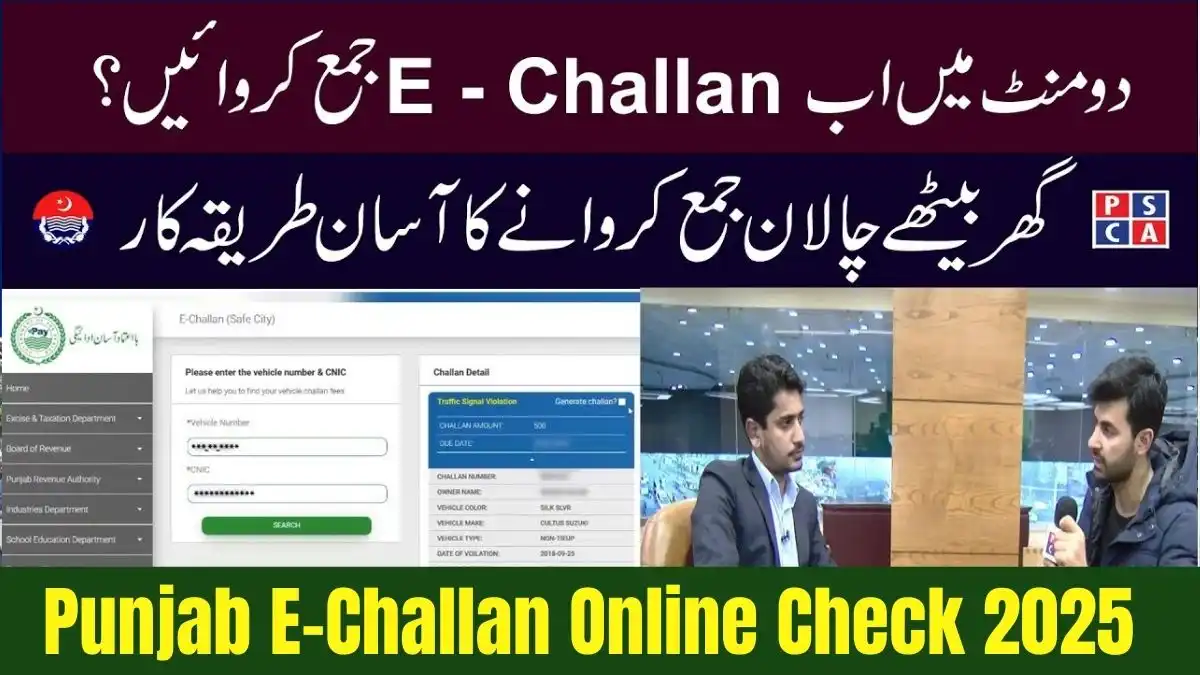
The Punjab E-Challan Online Check 2025 system has completely changed how citizens in Punjab manage and pay their traffic fines. Instead of standing in long queues or visiting banks physically, you can now check, download and pay your challan within minutes using your mobile phone or computer. This modern e-governance system by the Punjab Safe Cities Authority (PSCA) is fast, secure and easy for every driver.
In this detailed guide for PAVE.com.pk, you will learn how to check your e-challan, how to pay it online using JazzCash, Easypaisa, banking apps, and how to confirm the payment without visiting any traffic police office.
What Is Punjab E-Challan?
The Punjab E-Challan system is an automated digital fine system introduced by PSCA. High-resolution cameras installed across major cities automatically detect traffic violations like speeding, red-signal jumping, wrong turns, lane violations and more.
Once a violation occurs, the system generates a digital challan using your vehicle registration number (VRN) and links it to your CNIC.

Why Punjab E-Challan Online Check 2025 Matters
The new system brings several major improvements:
- Reduces bribery and corruption
- Improves transparency
- Saves time and travel costs
- Allows drivers to check challans instantly
- Helps maintain road safety
- Gives digital payment options
The best part? You don’t need to visit any office. Everything works online.

Punjab E-Challan Online Check 2025 Overview
| Feature | Details |
|---|---|
| System Name | Punjab E-Challan (PSCA) |
| Launched | 2018 |
| Status | Active in 2025 |
| Fine Amount | Depends on violation |
| Payment Options | JazzCash, Easypaisa, Bank Apps |
| Cities Covered | Lahore, Rawalpindi, Multan, Faisalabad, Gujranwala & more |

How to Use Punjab E-Challan Online Check 2025
This is the most important section. Follow these simple steps to check your challan online:
Step 1 – Open PSCA E-Challan Website
Visit the official PSCA challan portal:
👉 https://echallan.psca.gop.pk
(Always open the official website only to avoid scams.)
Step 2 – Enter Vehicle Number
Type your vehicle registration number in the box exactly as shown on your number plate.
For example:
LEB-20-1234
BRY-999
Step 3 – Enter CNIC or PSID (Optional)
You can also add:
- CNIC (for personal vehicles)
- PSID number (to check payment status)
Step 4 – Click Search
The system will display your challan details including:
- Violation image
- Date and time
- Location
- Fine amount
Step 5 – Download PDF
You can download and print the challan if needed.
If Your Challan Is Not Showing
- Re-check vehicle number format
- Ensure number plate is registered
- Wait 10–15 minutes (system updates continuously)

How to Pay Punjab E-Challan Online (2025 Updated)
You have three main digital payment options:
- Easypaisa
- JazzCash
- Bank Mobile Apps
All payments use a PSID number (Payment Slip ID).
Pay Punjab E-Challan Using Easypaisa
Follow these steps:
- Open Easypaisa app
- Log in
- Go to Bill Payments → Traffic Challan
- Select Punjab Safe Cities Authority
- Enter PSID
- Confirm the amount
- Press Pay
Tip: Take a screenshot of your payment receipt as proof.
Pay Punjab E-Challan Using JazzCash
- Open JazzCash app
- Go to Bill Payments
- Select Traffic Challan
- Choose Punjab E-Challan PSCA
- Enter PSID
- Confirm and pay
If you don’t have the app, simply visit any JazzCash retailer and give them the PSID.
Pay Punjab E-Challan Through Banking Apps
Almost all major banks support challan payments:
- HBL
- UBL
- MCB
- Meezan Bank
- Bank Alfalah
- Allied Bank
- Faysal Bank
Steps:
- Open your bank app
- Go to Bill Payments
- Choose Traffic Challan / PSCA
- Enter PSID
- Confirm payment
- Save digital receipt
How to Confirm Your Punjab E-Challan Payment
This is where the Punjab E-Challan Online Check 2025 system helps again.
- Revisit: https://echallan.psca.gop.pk
- Enter your vehicle number + PSID
- If the challan disappears → Payment successful
- If it still appears → wait up to 24 hours
If it stays unpaid even after 24–48 hours, contact Traffic Police Helpline.
What Happens If You Don’t Pay E-Challan?
Delaying your challan can cause serious problems:
- Your vehicle may be blacklisted
- Police can stop you anytime
- Token tax renewal will be blocked
- Vehicle transfer will be restricted
- You may receive repeated notices
Paying on time avoids all legal issues.
Benefits of Punjab E-Challan Online Check 2025
| Benefit | Description |
|---|---|
| Fast Processing | Check challans instantly |
| Secure | Official PSCA database |
| Time-Saving | No need to visit offices |
| Easy Payments | JazzCash, Easypaisa, bank apps |
| Transparent | No manual errors |
| Reliable | Works 24/7 |
Frequently Asked Questions (FAQs) about Punjab E-Challan Online Check 2025:
1. How can I check my e-challan online in Punjab?
Visit the PSCA website and enter your vehicle number. All challans will appear instantly.
2. What is PSID in e-challan?
PSID means Payment Slip ID used to pay challans online.
3. How long does payment confirmation take?
Bank apps → Instant
JazzCash/Easypaisa → Few minutes to 24 hours
4. Can I pay someone else’s challan?
Yes, if you have their PSID.
5. What happens if I don’t pay?
Your vehicle can be blacklisted.
6. Can I download my challan?
Yes, the website provides a downloadable PDF.
7. Does the system cover all Punjab?
Yes, including Lahore, Faisalabad, Rawalpindi, Multan & more.
8. Is the Punjab E-Challan Online Check 2025 system safe?
Yes, it is operated directly by PSCA and Punjab Police.
Conclusion – Punjab E-Challan Online Check 2025 December Guide
The Punjab E-Challan Online Check 2025 system has made traffic fine payment fast, simple and transparent. With online platforms like JazzCash, Easypaisa and bank apps, you no longer need to visit any office. This guide covered everything — from checking challans to paying and confirming them.
PAVE.com.pk continues to bring the latest updates, policies and guides for Punjab’s digital services.