Simple Ways To Pay E-challan via Jazzcash Step By Step Guide
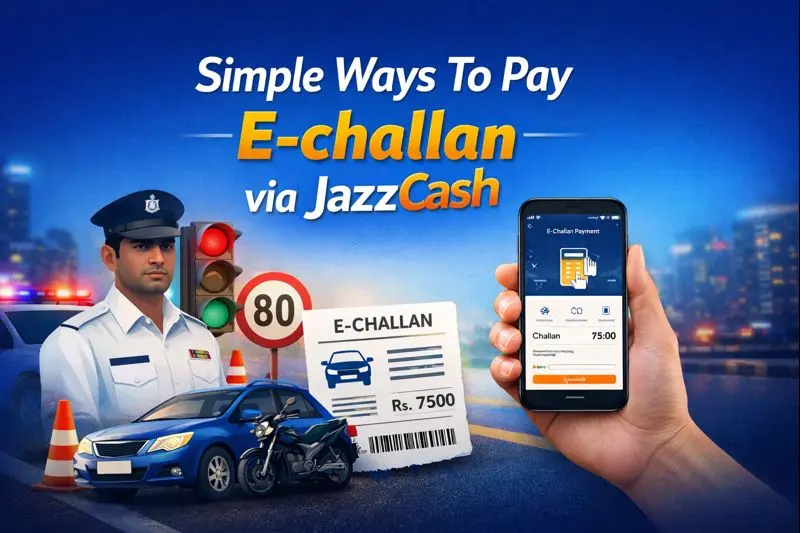
Paying traffic e-challans in Pakistan has become much easier than before. Instead of standing in long queues at banks or traffic offices, citizens can now pay their challans online using mobile wallets. One of the most popular and trusted options is JazzCash.
JazzCash allows users to pay their e-challan directly from their mobile phone in just a few minutes. This guide explains simple ways to pay e-challan via JazzCash, covering every step in easy language. Whether your challan is issued in Punjab or another supported city, this article will help you complete the payment without confusion.
What Is an E-Challan?
An e-challan is an electronic traffic fine issued by traffic police for violations such as:
- Over-speeding
- Signal violation
- Helmet or seatbelt violation
- Wrong parking
- Lane violation
Instead of paper challans, traffic police now issue digital challans that are recorded in the system. These challans can be paid online through approved payment channels like JazzCash.

Why Use JazzCash to Pay E-Challan?
JazzCash is widely used across Pakistan and offers several benefits for e-challan payments.
Key Benefits of JazzCash
- No need to visit banks
- 24/7 payment facility
- Fast and secure transaction
- Instant confirmation
- Works on both smartphones and simple phones
For people who want quick and reliable service, JazzCash is one of the easiest options.

Things You Need Before Paying E-Challan via JazzCash
Before starting the payment process, make sure you have the following:
Required Information
- Active JazzCash account
- Sufficient balance in wallet
- Challan number or CNIC
- Internet connection (for app users)
If you do not have a JazzCash account, you can register easily using your CNIC and mobile number.

Method 1: Pay E-Challan via JazzCash Mobile App
This is the most common and user-friendly method.
Step-by-Step Guide Using JazzCash App
Step 1: Open JazzCash App
Open the JazzCash app on your mobile phone and log in using your PIN.
Step 2: Go to Bill Payments
On the home screen, tap on Bill Payments or Government Payments.
Step 3: Select E-Challan or Traffic Challan
Choose Traffic Challan / E-Challan from the list of services.
Step 4: Choose City or Province
Select the city or province where the challan was issued, such as Punjab.
Step 5: Enter Challan Details
Enter required details such as:
- Challan number
- CNIC number
- Vehicle registration number (if required)
Step 6: Confirm Challan Amount
The system will display challan details and fine amount. Check the information carefully.
Step 7: Pay the Challan
Confirm payment by entering your JazzCash PIN.
Step 8: Save Payment Receipt
After successful payment, you will receive a confirmation message. Save or screenshot the receipt for record.
Method 2: Pay E-Challan via JazzCash USSD Code
This method is useful for users without smartphones.
Step-by-Step Guide Using USSD
- Dial *786# from your Jazz number
- Select Payments
- Choose Government Payments
- Select Traffic Challan / E-Challan
- Enter challan details
- Confirm amount
- Enter your PIN to complete payment
You will receive an SMS confirmation after successful payment.
Cities and Provinces Where JazzCash E-Challan Is Available
JazzCash e-challan service is commonly available in:
- Punjab (Lahore, Rawalpindi, Faisalabad, Multan)
- Islamabad
- Selected areas of Sindh and KPK
Availability may vary, so always check inside the app.
How Much Time Does It Take to Update Payment?
In most cases:
- Payment updates instantly
- Challan status changes within a few minutes
- Sometimes it may take up to 24 hours in the system
If the challan still shows unpaid after 24 hours, contact JazzCash support.
Is There Any Extra Charge on JazzCash E-Challan Payment?
JazzCash usually charges:
- Small service fee (varies by city)
- Fee is shown before confirmation
Always check the final amount before entering your PIN.
Common Problems and Solutions
Payment Failed but Amount Deducted
- Wait for 24 hours
- Amount is usually reversed automatically
- Contact JazzCash helpline if not reversed
Challan Not Found
- Check challan number carefully
- Make sure city/province selection is correct
App Not Working
- Update JazzCash app
- Clear app cache
- Try USSD method
How to Check E-Challan Status After Payment
You can verify payment through:
- Traffic police e-challan website
- SMS confirmation from JazzCash
- Payment history in JazzCash app
Always keep a copy of the receipt until challan is fully cleared.
Safety Tips While Paying E-Challan Online
- Never share your JazzCash PIN
- Use official JazzCash app only
- Avoid public Wi-Fi while making payment
- Double-check challan details
Can Someone Else Pay My E-Challan Using JazzCash?
Yes. Anyone can pay your challan if they have:
- Your challan number or CNIC
- Correct city/province selection
This is helpful for family members or friends.
Advantages of Online Challan Payment Over Manual Payment
Online Payment Benefits
- Saves time
- No travel cost
- Less paperwork
- Faster record update
- More transparency
Due to these benefits, online payment is strongly recommended.
Frequently Asked Questions (FAQs) about Pay E-challan via Jazzcash:
Can I pay expired e-challan via JazzCash?
Yes, expired challans can usually be paid unless blocked by traffic police.
Is JazzCash payment accepted as legal proof?
Yes. JazzCash receipt is valid proof of payment.
What if I pay wrong challan by mistake?
Contact traffic police and JazzCash support immediately with payment proof.
Can I pay multiple challans at once?
No. Each challan must be paid separately.
Conclusion – Simple Ways To Pay E-challan via Jazzcash
Paying an e-challan via JazzCash is one of the simplest and fastest ways to clear traffic fines in Pakistan. The process is easy, secure, and accessible to almost everyone, even users without smartphones.
By following this step-by-step guide, you can avoid unnecessary delays, save time, and stay compliant with traffic laws. Always pay challans on time to avoid late penalties and legal issues.
If you regularly drive, keeping JazzCash on your phone can make challan payments stress-free and convenient.